Kitsmith / Utilities / iWallpaper - Live Wallpaper

iWallpaper - Live Wallpaper
Free to browse and preview; $6.99 per wallpaper to remove the watermark
Price checked at source August 29, 2026.
A live/animated wallpaper engine for Mac with independent multi-monitor control — free to browse, $6.99 to remove the watermark per wallpaper.
Our take
The closest thing on the Mac App Store to Wallpaper Engine, the popular Steam app for animated desktop backgrounds — independent settings per monitor (up to 6+), battery-aware playback that pauses when a wallpaper isn’t visible, and a community library you can browse or upload to. The catch, and it’s a real one per multiple App Store reviews: every wallpaper carries a watermark until you pay $6.99 to remove it, and that fee applies per wallpaper rather than once for the whole app — budget for it if you plan to use more than one or two. Community-uploaded content means some wallpapers skew mature (the listing carries a 16+ age rating), and one reviewer flagged a naming inconsistency: the installed app shows as "MyWallpaper" rather than its App Store name.
- Price
- Free to browse and preview; $6.99 per wallpaper to remove the watermark
- License
- Proprietary
- Requires
- macOS 10.15 or later, per the Mac App Store listing.
- Get it via
- Mac App Store
- Developer
- 晓栋 周 (macosgame.com)
Do you use iWallpaper - Live Wallpaper?
Who made this
晓栋 周 runs macosgame studio (macosgame.com), which hosts its own support pages for iWallpaper directly on its domain; the same developer’s Mac App Store page lists a wider portfolio, including ScreenSaver Engine and iWallpaper static HD.
What it does
Independent multi-monitor control
Each connected display (up to 6+) gets its own wallpaper and settings, following that monitor if it’s disconnected and reconnected.
Battery-aware playback
Animated wallpapers pause when not visible and offer low-power modes to conserve battery on a MacBook.
Community library plus personal uploads
Browse and download community-shared wallpapers, or upload your own video (up to 100MB per file).
The deal
- Free to browse, preview, and use with a watermark
- Remove watermark: $6.99 per wallpaper, one-time
Worth knowing: Community-uploaded wallpapers mean content varies in nature — the listing carries a 16+ age rating for infrequent mature/suggestive themes. The watermark-removal fee ($6.99) applies per wallpaper, not once for the whole app, per multiple App Store reviews.
iWallpaper - Live Wallpaper — questions people ask
Is iWallpaper free?
Free to browse and preview. Removing the watermark on a wallpaper you want to keep costs $6.99, charged per wallpaper rather than once for the app.
Does iWallpaper drain the battery on a MacBook?
Animated wallpapers use more power than a static image; the app includes battery-aware and low-power settings, per the developer, though reviewers note there’s no way to see exact CPU/GPU impact.
Is iWallpaper - Live Wallpaper free?
iWallpaper - Live Wallpaper is free to use with optional paid unlocks.
Does iWallpaper - Live Wallpaper work alongside a notch app like Alcove?
Yes — iWallpaper - Live Wallpaper lives in the screen, so it runs happily alongside any Dynamic Island hub or notch app.
Where can I download iWallpaper - Live Wallpaper?
iWallpaper - Live Wallpaper is available via Mac App Store.
Reviews
No public ratings yet. Reader reviews are coming to Kitsmith soon.
Listing hand-verified August 29, 2026 from the developer's site and public sources.
Also in tweaks & customization
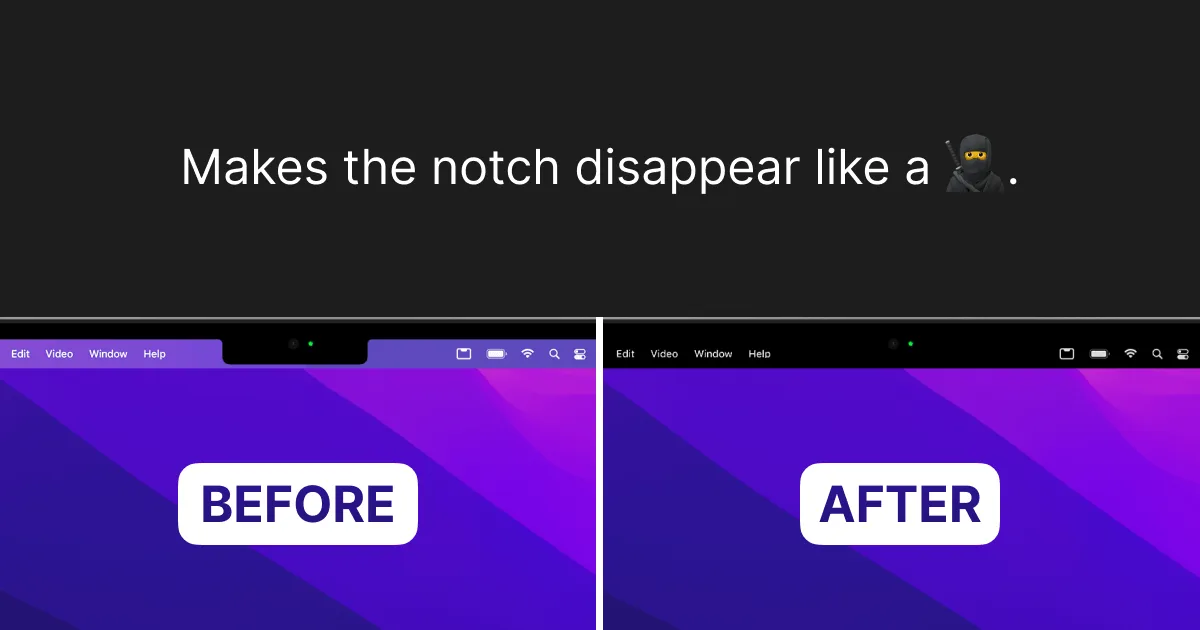

TopNotch
FreeMakes the notch disappear by blending the menu bar to black — wallpapers, multi-display, done.

LinearMouse
FreeA free, open-source mouse and trackpad utility for Mac — per-app scrolling, pointer-speed, and button-remap profiles that switch automatically by device, app, or display.

Scroll Reverser
FreeA free, open-source Mac utility that reverses scroll direction, with independent settings for trackpads and mice (including Magic Mouse).

Mac Mouse Fix
Free 30-day trial (based on usage, not calendar days), then $2.99 one-timeBrings Trackpad-style gestures — Mission Control, App Exposé, Launchpad, smooth momentum scrolling — to a plain third-party mouse, with a 30-day free trial then a $2.99 one-time purchase.