Kitsmith / Utilities / OBS Studio

Free, open-source recording and live-streaming software — the standard the paid screen recorders in this list get compared against.
Our take
The steepest learning curve in this section by far — scenes, sources, and mixers instead of a one-click record button — but it’s free, open source, and does things CleanShot and Kap don’t attempt, like multi-source live streaming.
- Price
- Free
- License
- Open source
- Requires
- macOS 12.0 or newer · Intel and Apple silicon builds
- Get it via
- Homebrew · Direct
Do you use OBS Studio?
Who made this
Are you OBS Project (open-source community project)? Claim this profile to add a photo, a bio, and links — or ask us to remove it.
What it does
Scene and source mixing
Combine windows, cameras, and audio sources into custom scenes.
Live streaming
Stream directly to Twitch, YouTube, and other platforms, not just record to a file.
Recording
Record locally in multiple formats, independent of or alongside streaming.
The deal
- Free and open source
- Sponsored by YouTube, Twitch, Logitech, and others, per the project
OBS Studio — questions people ask
Is OBS Studio free?
Yes, free and open source, with no paid tier.
Does OBS work on Apple silicon?
Yes — the project ships native builds for both Intel and Apple silicon Macs.
Is OBS Studio free?
Yes — OBS Studio is free.
Does OBS Studio work alongside a notch app like Alcove?
Yes — OBS Studio lives in the screen, so it runs happily alongside any Dynamic Island hub or notch app.
Where can I download OBS Studio?
OBS Studio is available via Homebrew, Direct.
Is OBS Studio open source?
Yes — OBS Studio is open source.
Reviews
No public ratings yet. Reader reviews are coming to Kitsmith soon.
Listing hand-verified August 20, 2026 from the developer's site and public sources.
How OBS Studio compares
Also in screen recorders
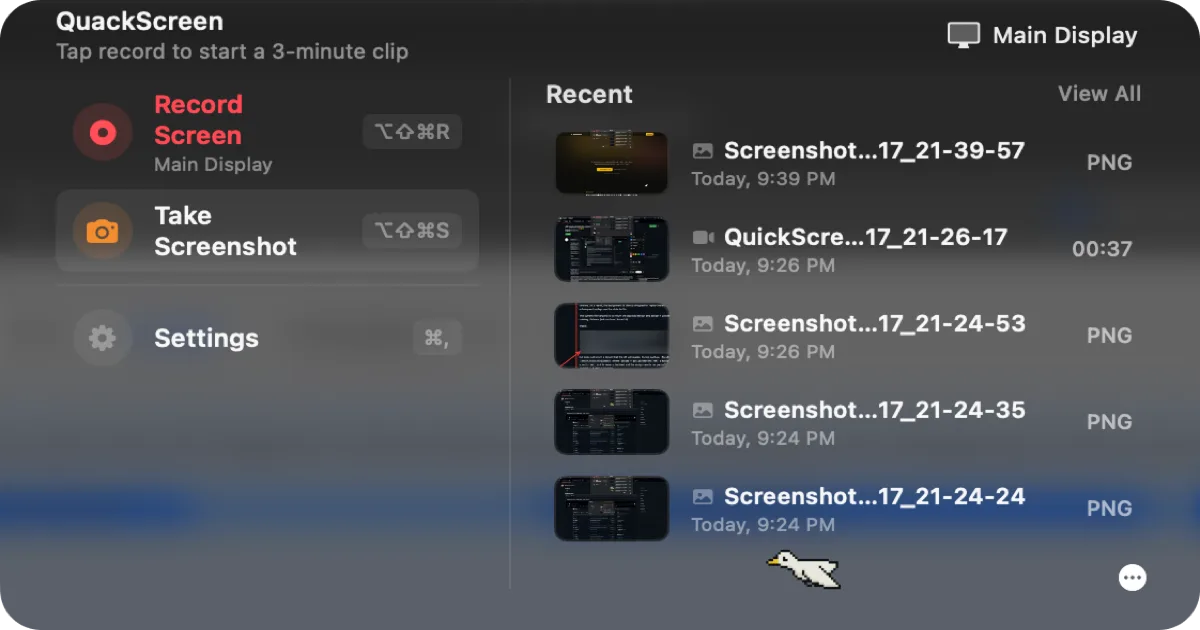

QuackScreen
Free / €20 one-time lifetime licenseA native notch screen recorder and screenshot tool — record, drag the clip out, drop it into Slack or Finder.

CleanShot X
$29 one-time (app + 1 year of updates + 1 GB cloud); Cloud Pro from $8/mo billed annuallyA screenshot and screen recording app with a built-in annotation tool, from the makers of PixelSnap — a one-time license, not a subscription for the base app.

Kap
FreeA free, open-source screen recorder that exports straight to GIF, MP4, WebM, or APNG from a simple menu bar dropdown.
Capto
7-day free trial, then paid (standalone price not listed on site); also included in Setapp from $14.99/moA screen recording and screenshot app with a built-in video and image editor, from Global Delight — also captures your connected iPhone or iPad’s screen.