Kitsmith / Utilities / Sticky Notepad: Notes & Memo

Free, colorful sticky notes for the Mac desktop and menu bar, with rich text formatting and adjustable transparency.
Our take
A modernized take on Apple’s bundled Stickies app: notes pin to the desktop or float on top of other windows, with six theme colors, adjustable transparency, and dark mode support. A 2.0 rewrite (December 2025) added a proper rich-text engine — bold/italic/underline/strikethrough, headings, and bulleted/numbered/checklist blocks — addressing a formatting gap multiple reviewers had flagged in earlier versions. The developer (J2. Studio, a small team behind the "萱 吴" Apple Developer account) responds individually to nearly every App Store review, including walking users through existing features (resizable notes, "Stay on Top" pinning, dock-icon hiding) that reviewers had missed. Free with no paid tier or in-app purchase visible on the listing.
- Price
- Free
- License
- Proprietary
- Requires
- macOS 11.0 or later, per the Mac App Store listing.
- Get it via
- Mac App Store
- Developer
- J2. Studio, Inc.
Do you use Sticky Notepad: Notes & Memo?
Who made this
Are you J2. Studio, Inc.? Claim this profile to add a photo, a bio, and links — or ask us to remove it.
What it does
Rich text formatting
Bold, italic, underline, strikethrough, headings, bulleted/numbered lists, and to-do checklists, added in the 2.0 rewrite.
Pin to desktop or float on top
Notes can sit on the desktop or stay pinned above other windows via "Pop Out Note" → "Stay on Top."
Colorful, transparent themes
Six theme colors with adjustable transparency, plus independent light/dark mode.
Menu bar quick access
Create a new note or open the full note list from a menu bar icon, which can also be hidden.
The deal
- Free — no paid tier or in-app purchase listed on the Mac App Store page
Sticky Notepad: Notes & Memo — questions people ask
Is Sticky Notepad free?
Yes — free, with no paid tier or in-app purchase listed on its Mac App Store page.
Can notes stay pinned to the desktop?
Yes — use "Pop Out Note" then "Stay on Top" to keep a note pinned above other windows, per the developer’s own review responses.
Is Sticky Notepad: Notes & Memo free?
Yes — Sticky Notepad: Notes & Memo is free.
Does Sticky Notepad: Notes & Memo work alongside a notch app like Alcove?
Yes — Sticky Notepad: Notes & Memo lives in the screen, so it runs happily alongside any Dynamic Island hub or notch app.
Where can I download Sticky Notepad: Notes & Memo?
Sticky Notepad: Notes & Memo is available via Mac App Store.
Reviews
No public ratings yet. Reader reviews are coming to Kitsmith soon.
Listing hand-verified September 18, 2026 from the developer's site and public sources.
Also in note taking
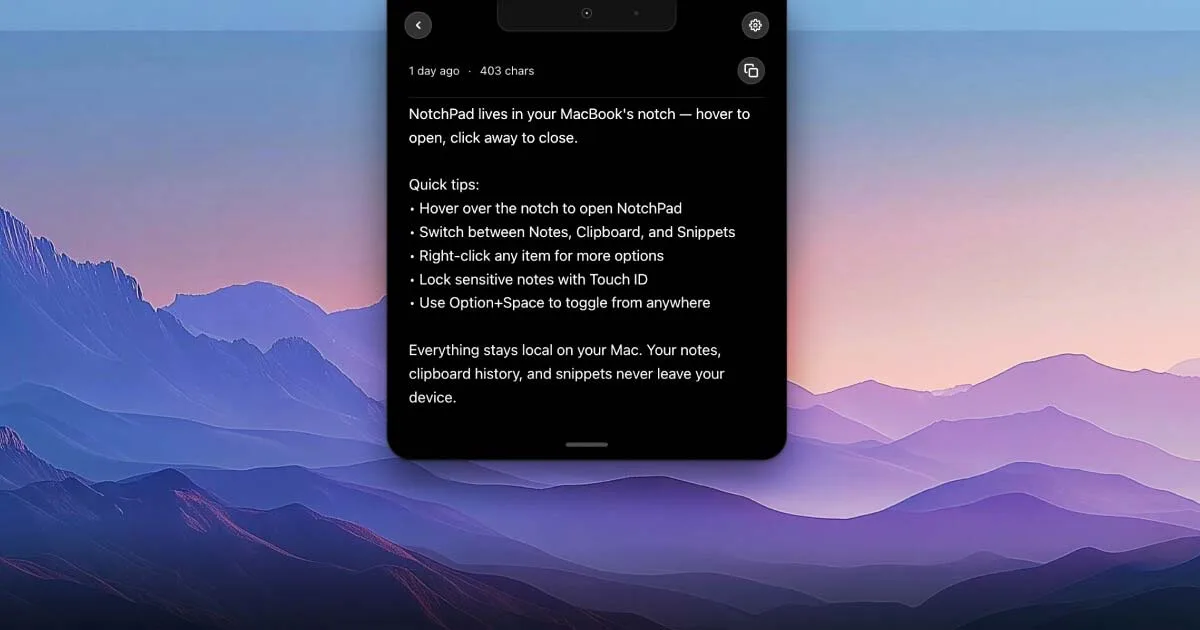

NotchPad
$14.99 one-timeAI notes, folders, clipboard history, and snippets, all opened by hovering the notch.
Stickies - Sticky notes app
Free; Stickies Pro $2.99 one-time unlockA markdown-formatted sticky notes app for macOS — free with a $2.99 Pro unlock, from the maker of the JSitor code playground.
Quick Note: Sticky Notes Menu
Free; Quick Note Pro $12.99 one-time unlock (unlimited notes, automation)Menu bar notes that float above every window — one click or a shortcut to jot something down, free with a $12.99 lifetime Pro unlock.

Simplenote
FreeFree, cross-platform note-taking app from Automattic — real-time sync, tags, note history, and Markdown, with nothing paid.