Kitsmith / Compare / Itchy vs NotchNest
MacItchy vs NotchNest
Itchy vs NotchNest: verdict, pricing, and specs compared, so you can pick the right one for your Mac.
At a glance
Itchy
FreeA free notch hub with 12 built-in modules and a Swift SDK for building your own.
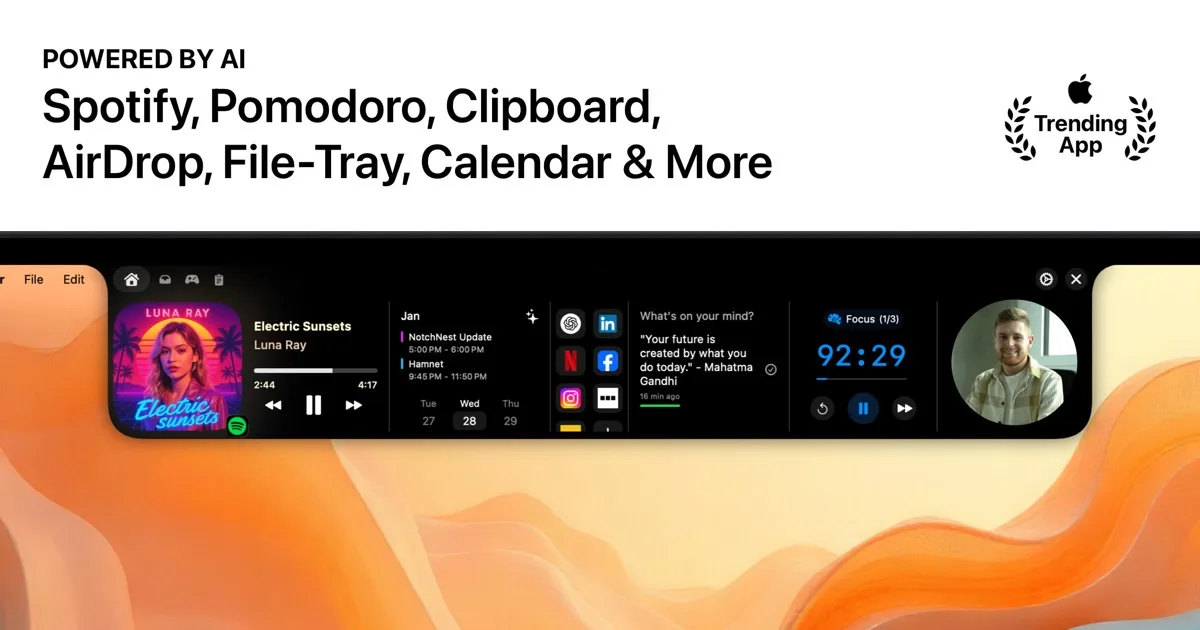
NotchNest
FreeA free, feature-dense notch hub with on-device AI clipboard, calendar briefings, notes, and a Pomodoro timer.
Spec comparison
Itchy
- Price
- Free
- Pricing model
- Free
- License
- Proprietary
- Placement
- Notch
- Channels
- Direct
- Category
- Hubs
NotchNest
- Price
- Free
- Pricing model
- Free
- License
- Proprietary
- Placement
- Notch
- Channels
- Mac App Store · Direct
- Category
- Hubs
The verdict
Both are free hubs, but they differ in distribution and how far they lean on AI. Itchy is a direct download built for extensibility — 12 stock modules plus an open Swift SDK for building your own — with no App Store review step and no stated plans for a paid tier. NotchNest ships through the Mac App Store and leans on on-device Apple Intelligence for an AI clipboard manager and calendar briefings, alongside notes and a Pomodoro timer. Pick Itchy if you want the most extensible free hub, including the option to build modules yourself; pick NotchNest if you want AI-assisted clipboard and calendar features through a Mac App Store install.
Which one should you pick?
Pick Itchy if…
- Pick Itchy if you want the widest built-in module count (12) plus the option to write your own via the open Swift SDK
- Pick Itchy if you’d rather install directly from the developer than through the Mac App Store
- Pick Itchy if you want to reorder and enable only the modules you use from Settings
- Pick Itchy if you don’t need AI features and want a straightforward free general-purpose hub
Pick NotchNest if…
- Pick NotchNest if you want AI clipboard rewriting and calendar briefings that run on-device via Apple Intelligence, at no cost
- Pick NotchNest if you’d rather install and update through the Mac App Store
- Pick NotchNest if notes and a Pomodoro timer alongside AI clipboard features cover what you need
- Pick NotchNest if the developer’s stated one-time-purchase model (no subscription, ever) matters to you in writing
Itchy vs NotchNest — questions people ask
Are Itchy and NotchNest both free?
Yes — both are free with no subscription. Itchy states no plans for a paid tier; NotchNest describes itself as a one-time-purchase model with nothing to subscribe to.
Which one can I extend myself?
Itchy — it ships an open Swift SDK so you can compile and load your own module (`import itchy`) without forking the app. NotchNest has no comparable SDK.
Which one uses on-device AI?
NotchNest — its AI clipboard manager and calendar briefings run on-device through Apple Intelligence, per the developer, with nothing uploaded.