Kitsmith / Compare / SuperIsland vs NotchNest
MacSuperIsland vs NotchNest
SuperIsland vs NotchNest: verdict, pricing, and specs compared, so you can pick the right one for your Mac.
At a glance

SuperIsland
FreeLive activities plus a next-meeting countdown with one-tap join for Zoom, Meet, and Teams.
NotchNest
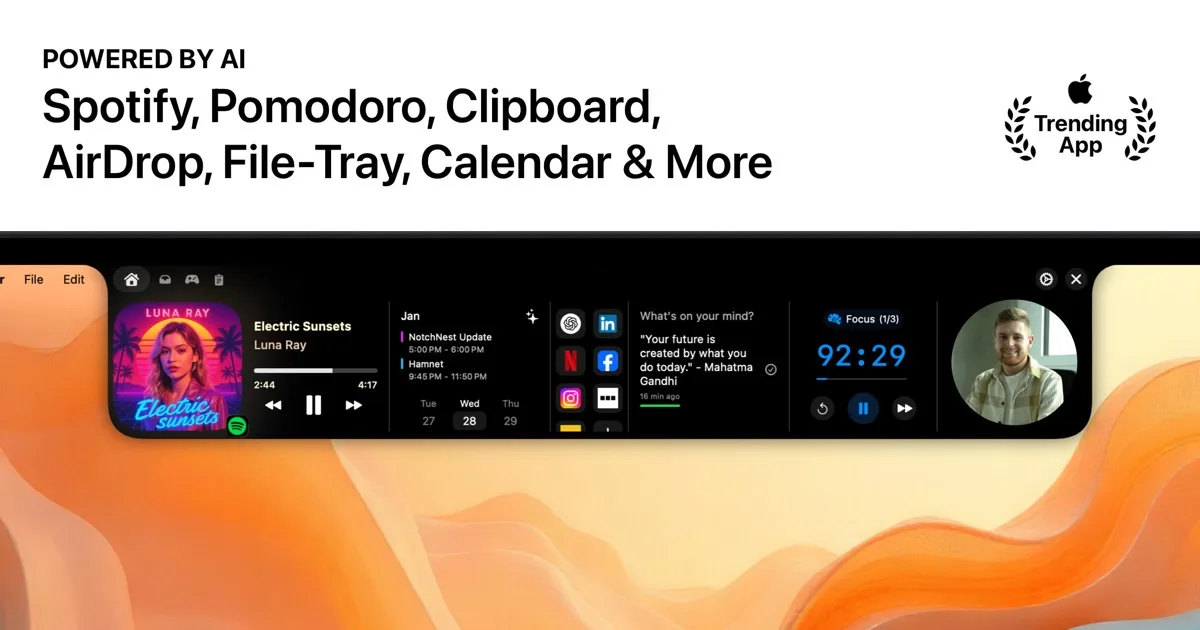
FreeA free, feature-dense notch hub with on-device AI clipboard, calendar briefings, notes, and a Pomodoro timer.
Spec comparison
SuperIsland
- Price
- Free
- Pricing model
- Free
- License
- Open source
- Placement
- Notch
- Channels
- Direct · GitHub · Homebrew
- Category
- Hubs
NotchNest
- Price
- Free
- Pricing model
- Free
- License
- Proprietary
- Placement
- Notch
- Channels
- Mac App Store · Direct
- Category
- Hubs
The verdict
Both are free hubs that pack in more than most paid competitors. SuperIsland is open source and leans on the calendar: a next-meeting countdown with one-tap join links for Zoom, Meet, and Teams, alongside now-playing, battery, and weather. NotchNest ships through the Mac App Store and leans on on-device AI via Apple Intelligence — an AI clipboard manager and calendar briefings, with a built-in runner game as the one novelty extra. Pick SuperIsland if one-click meeting joins are what you’re after; pick NotchNest if you want AI-assisted clipboard and calendar features without a subscription.
Which one should you pick?
Pick SuperIsland if…
- Pick SuperIsland if a next-meeting countdown with one-tap Zoom/Meet/Teams join is the feature you actually want
- Pick SuperIsland if you prefer free and open source software you can inspect on GitHub
- Pick SuperIsland if you want Homebrew installability (`brew install --cask shobhit99/tap/superisland`)
- Pick SuperIsland if now-playing, battery, and weather cover what you need from a hub
Pick NotchNest if…
- Pick NotchNest if you want AI clipboard rewriting and calendar briefings that run on-device via Apple Intelligence
- Pick NotchNest if you’d rather install through the Mac App Store than a direct download
- Pick NotchNest if a built-in runner game as a novelty extra doesn’t bother you
- Pick NotchNest if the developer’s stated one-time-purchase model (no subscription) matters to you in writing
SuperIsland vs NotchNest — questions people ask
Are SuperIsland and NotchNest both free?
Yes — both are free. SuperIsland is also open source; NotchNest is distributed via the Mac App Store and direct download.
Which one has one-click meeting joins?
SuperIsland — its calendar feature shows a next-meeting countdown with one-tap join links for Zoom, Google Meet, and Microsoft Teams.
Which one uses on-device AI?
NotchNest — its AI clipboard manager and calendar briefings run on-device through Apple Intelligence, per the developer, with nothing uploaded.