Kitsmith / Utilities / ScreenFlow

ScreenFlow
From $199 one-time (Standard); free, fully-functional trial available with no time limit, exports watermarked until purchase
Price checked at source August 29, 2026.
Telestream’s screen recorder and video editor for Mac — simultaneous screen, camera, and mic capture plus a full timeline editor, from $199 one-time.
Our take
Built exclusively for Mac since 2007 and still positioned that way — Telestream’s own site frames it as recording and editing in one app, not a recorder that hands off to something else for the edit. It captures screen, camera, and microphone at once, then edits on a multi-track timeline with titles, transitions, and closed captions, rather than the single-take capture most competitors in this section offer. The free trial is fully functional with no time limit, the honest catch being watermarked exports until you buy — a $199 one-time license with no subscription, for Apple Silicon and Intel Macs alike.
- Price
- From $199 one-time (Standard); free, fully-functional trial available with no time limit, exports watermarked until purchase
- License
- Proprietary
- Requires
- Apple Silicon and Intel-based Macs, per the official site; a specific minimum macOS version was not listed on the pages checked for this listing.
- Get it via
- Direct
- Developer
- Telestream
Do you use ScreenFlow?
Who made this
Telestream’s own newsroom credits Dan Castles as the company’s founding CEO in 1998, who led it for over two decades before retiring in 2023, then returned to the CEO role in 2025.
What it does
Simultaneous screen, camera, and mic recording
Captures your screen, webcam, and microphone together in sync, rather than requiring separate takes.
Full timeline video editor
Multi-track editing with transitions, title templates, freehand annotations, and cinematic filters built in, not just trim-and-export.
Closed captions and ProRes export
Add ADA-compliant soft or burned-in subtitles, and export to ProRes, MP4, and animated GIF/PNG.
The deal
- From $199 one-time (Standard license)
- Free trial: fully functional, no time limit, exported video is watermarked until purchase
- Optional Stock Media Library add-on: $99/yr
ScreenFlow — questions people ask
Is ScreenFlow free?
No — it’s a $199 one-time purchase (Standard license). A fully-functional free trial is available with no time limit, but exports are watermarked until you buy.
Who makes ScreenFlow?
Telestream, per the app’s own site and store copyright.
Does ScreenFlow run on Apple Silicon?
Yes — the developer’s own site advertises support for both Apple Silicon and Intel-based Macs.
Is ScreenFlow free?
ScreenFlow costs From $199 one-time (Standard); free, fully-functional trial available with no time limit, exports watermarked until purchase.
Does ScreenFlow work alongside a notch app like Alcove?
Yes — ScreenFlow lives in the screen, so it runs happily alongside any Dynamic Island hub or notch app.
Where can I download ScreenFlow?
ScreenFlow is available via Direct.
Reviews
No public ratings yet. Reader reviews are coming to Kitsmith soon.
Listing hand-verified August 29, 2026 from the developer's site and public sources.
How ScreenFlow compares
Also in screen recorders
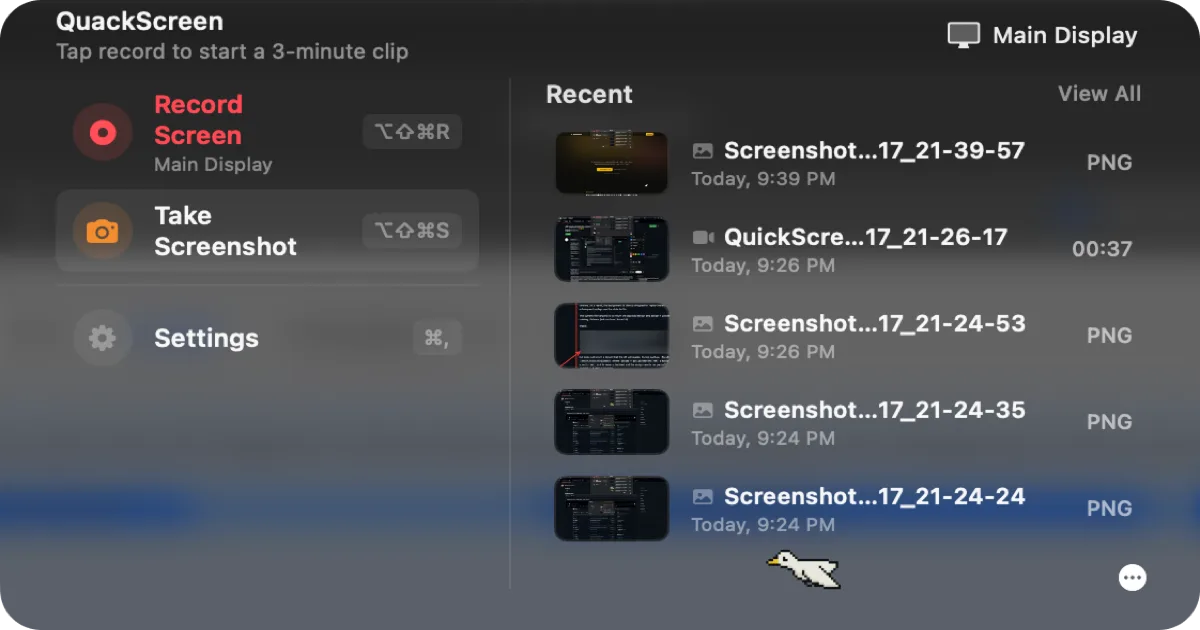

QuackScreen
Free / €20 one-time lifetime licenseA native notch screen recorder and screenshot tool — record, drag the clip out, drop it into Slack or Finder.

OBS Studio
FreeFree, open-source recording and live-streaming software — the standard the paid screen recorders in this list get compared against.

CleanShot X
$29 one-time (app + 1 year of updates + 1 GB cloud); Cloud Pro from $8/mo billed annuallyA screenshot and screen recording app with a built-in annotation tool, from the makers of PixelSnap — a one-time license, not a subscription for the base app.

Kap
FreeA free, open-source screen recorder that exports straight to GIF, MP4, WebM, or APNG from a simple menu bar dropdown.