Kitsmith / Compare / QuackScreen vs CleanShot X
MacQuackScreen vs CleanShot X
QuackScreen vs CleanShot X: verdict, pricing, and specs compared, so you can pick the right one for your Mac.
At a glance
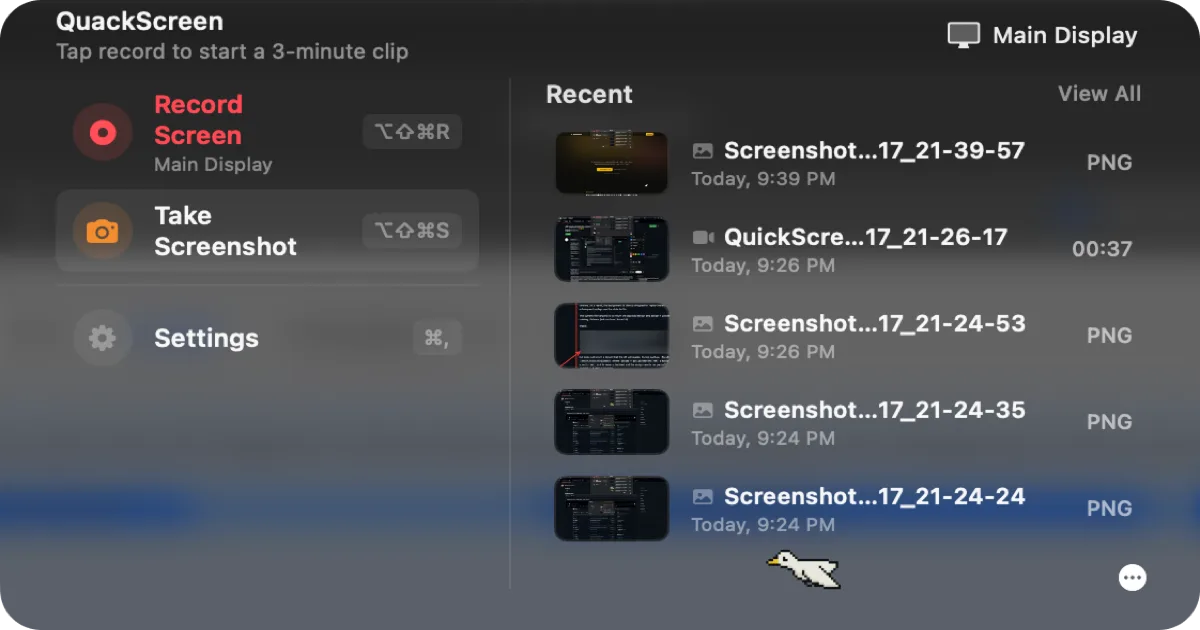

QuackScreen
Free / €20 one-time lifetime licenseA native notch screen recorder and screenshot tool — record, drag the clip out, drop it into Slack or Finder.

CleanShot X
$29 one-time (app + 1 year of updates + 1 GB cloud); Cloud Pro from $8/mo billed annuallyA screenshot and screen recording app with a built-in annotation tool, from the makers of PixelSnap — a one-time license, not a subscription for the base app.
Spec comparison
QuackScreen
- Price
- Free / €20 one-time lifetime license
- Pricing model
- Freemium
- License
- Proprietary
- Placement
- Notch
- Channels
- Direct
- Category
- Utilities
CleanShot X
- Price
- $29 one-time (app + 1 year of updates + 1 GB cloud); Cloud Pro from $8/mo billed annually
- Pricing model
- Paid
- License
- Proprietary
- Placement
- Menu bar
- Channels
- Homebrew · Setapp · Direct
- Category
- Utilities
The verdict
QuackScreen is free to use — a watermark and a length cap are the only catches until you pay a one-time €20 for a lifetime license covering 2 Macs — and its notch-native drag-the-clip-out workflow is the differentiator: a recording lands in the notch and you drag it straight into Slack, Mail, or Finder. CleanShot X costs more ($29 one-time) but does more before and after the capture: automatic desktop cleanup ahead of every screenshot and built-in annotation tools, neither of which QuackScreen offers. QuackScreen also needs macOS 26 Tahoe on Apple silicon specifically. Start with QuackScreen if the notch workflow and free tier are the draw; pick CleanShot X if desktop cleanup and annotation matter more than where the file lands.
Which one should you pick?
Pick QuackScreen if…
- Pick QuackScreen if you want to try it for free — the only limits are a watermark and a length cap until you buy
- Pick QuackScreen if dragging a clip straight out of the notch into Slack, Mail, or Finder is the workflow you want
- Pick QuackScreen if a one-time €20 lifetime license covering 2 Macs beats paying $29 for a broader tool
- Pick QuackScreen if you’re already on macOS 26 Tahoe with Apple silicon — that’s what it requires
Pick CleanShot X if…
- Pick CleanShot X if automatic desktop cleanup before every capture is worth paying for
- Pick CleanShot X if you want built-in annotation tools, not just a recorder
- Pick CleanShot X if you’re not on macOS 26 Tahoe with Apple silicon — QuackScreen requires both
- Pick CleanShot X if Setapp access or a 30-day money-back guarantee matters to you
QuackScreen vs CleanShot X — questions people ask
Is QuackScreen free?
Yes to try — free downloads include a watermark and a recording length cap; a €20 one-time lifetime license (covering 2 Macs) removes both.
Is CleanShot X a subscription?
The base app is a $29 one-time purchase with a year of updates; only the optional Cloud Pro tier ($8/mo billed annually) is recurring.
Which one requires the newest macOS?
QuackScreen does — it needs macOS 26 Tahoe and Apple silicon specifically. CleanShot X’s listing doesn’t specify a macOS version requirement.